Have you ever sent a promotional message and wondered why barely anyone responded?
More often than not, the issue isn’t interest, but the channel you’re using.
Most traditional channels, such as SMS and email, make it difficult for people to actually connect with your business. Instead of continuing the conversation, they redirect people to a website, form, or app, where they quickly lose interest and drop off.
This is where WhatsApp makes a real difference.
It lets people reach your business instantly, ask questions (and get immediate responses), explore your offerings, and even complete a transaction, all within the same chat window.
That is why many businesses are increasingly turning to WhatsApp for promotional messaging.
If you’re in the same boat and want to use WhatsApp for promotions but aren’t sure where to begin, this guide is for you.
By the end of it, you’ll know everything you need to send promotional messages on WhatsApp, including the different tools available, the step-by-step process to follow, and the best practices for scaling your messaging without annoying your audience or getting restricted or banned on the platform.
But first, let’s quickly look at what a WhatsApp promotional message really is.
What Are WhatsApp Promotional Messages?
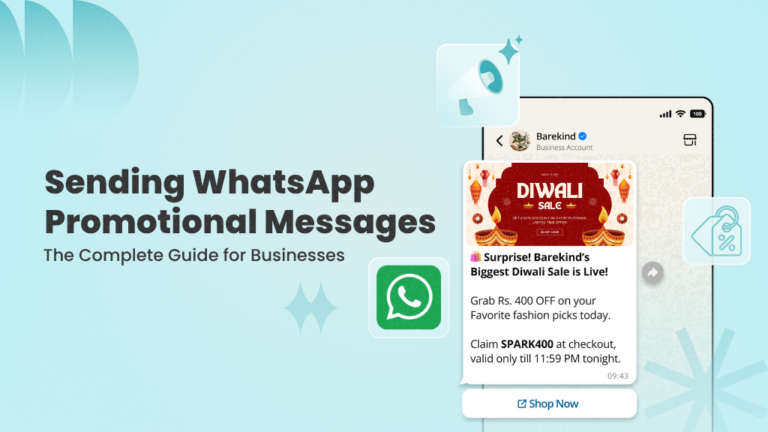
WhatsApp promotional messages are messages sent by businesses to customers on WhatsApp to promote products, services, or offers.
These messages are typically only sent to users who have opted in to receive communication from your business and can include text, images, videos, documents, and interactive elements such as buttons (e.g., “Shop Now” or “Learn More”).
Some common examples of promotional messages include:
- Discount and offer messages (e.g., “Get 20% off on your next order”)
- Product launches and new arrivals (“Our new summer collection is now live. Check it out here”)
- Cart abandonment reminders (“You left something in your cart. Complete your order now”)
- Seasonal or festive campaigns (“Diwali sale is live. Don’t miss out on exclusive deals”)
- Upsell and cross-sell messages (“Customers who bought this also loved…”)
- Re-engagement campaigns (“It’s been a while. Here’s a special offer just for you”)
… and more.
Why Send Promotional Messages on WhatsApp?
WhatsApp offers several advantages that make it highly effective for promotional messaging, including:
1. Massive User Base and High Open Rates
WhatsApp has over 3 billion monthly active users, and messages often achieve open rates of up to 90%, making it one of the most reliable channels for reaching your customers (who are already on the platform and using it actively).
2. Direct and Personal Communication
WhatsApp enables direct communication by removing the friction between your promotional message and the next step, and keeping the entire interaction on the same platform.
It also facilitates more personalized communication, as messages can be tailored with customer details such as name, order ID, or past interactions, making them feel less like traditional marketing messages and more like organic, one-to-one conversations.
3. Real-Time Engagement
Unlike traditional channels, where responses are often delayed, conversations on WhatsApp happen in real time. This means users can instantly respond to your promotional messages, ask questions, and explore your offerings, while you engage them when their intent is still high.
4. Rich Media Support
With WhatsApp, you’re not limited to plain text and can use images, videos, documents, and interactive elements like buttons to make your messages more engaging and easier to act on.
This is especially useful for promotional messaging, as you can showcase your products visually, highlight offers more effectively, and guide users toward taking an action within the chat window itself.
5. Powerful Automation Capabilities
WhatsApp offers robust automation tools that let you instantly engage users who respond to your promotional messages and keep the conversation going without manual effort. For example, you can set up auto-replies and chatbots to handle common queries, answer FAQs, and guide users through different product options.
You can also create drip campaigns to nurture leads generated from your promotional messages, follow up consistently, and move them toward conversion over time.
Now that you know why WhatsApp works so well for promotional messaging, let’s explore the different ways you can send promotional messages on the platform.
Use WANotifier to create, personalize, and send your first promotional message in minutes.
Different Ways to Send Promotional Messages
There are two main ways businesses can send promotional messages on WhatsApp, depending on their needs and scale:
1. WhatsApp Business App
The WhatsApp Business App is a free app designed for individuals and small businesses that want to communicate directly with customers. It works well for 1:1 conversations and offers broadcasts and basic auto-replies (including greetings and away messages) among other features.
That said, the app only lets you message up to 256 contacts at a time. Additionally, it doesn’t support advanced WhatsApp automation such as chatbots or drip campaigns, third-party integrations, or multi-user access, making it difficult to scale WhatsApp campaigns or manage conversations efficiently.
2. WhatsApp Business API
The WhatsApp Business API is a solution provided by Meta that allows businesses to send and receive messages at scale.
Unlike the Business App, the API enables high-volume messaging and workflow automation through features such as keyword-triggered auto-replies, chatbots, and drip campaigns.
It also integrates with CRMs, marketing tools, and other third-party apps, and supports multi-user access, enabling teams to collaborate on customer conversations using the same number.
Here’s a quick comparison of the two solutions:
| Feature | WhatsApp Business App | WhatsApp API |
| Best For | Small businesses that want 1:1 communication with customers | Growing, mid-market, and enterprise businesses that want to communicate at scale |
| Messaging Limit | 256 contacts at a time | Unlimited |
| Automation | Basic auto-replies (greetings, away messages) | Advanced automation (keyword-trigged auto-replies, drip campaigns, etc.) |
| Chatbots | ❌ Not supported | ✅ Supported (rule-based or AI-powered chatbots) |
| Third-Party Integrations | ❌ Not supported | Integrates with CRMs, marketing tools, and other systems |
| Multi-User Access | Limited (Up to 5 devices with 1 phone + 4 linked devices) | Supports multiple users and teams working from the same number |
| Pricing | Free | Per-message pricing |
As you can see from the table above, the WhatsApp Business App is ideal for sending messages to a limited number of contacts and handling one-to-one conversations. However, if you want to run high-volume promotional campaigns, automate your workflows, and collaborate with team members on customer chats, the WhatsApp Business API is clearly the better choice.
That’s why we’ll now look at how to set up and send promotional messages using the API.
How to Create and Send a Promotional Message Using the WhatsApp Business API
While the WhatsApp Business API offers powerful features for running high-volume promotional campaigns and automating workflows, it doesn’t include a built-in interface or dashboard to use them right out of the box.
To access and use these capabilities, you need a third-party platform like WANotifier, which provides a complete WhatsApp marketing and automation solution for creating, managing, and sending promotional campaigns, setting up chatbots and auto-replies, and more.
Below is a step-by-step guide to creating and sending promotional messages using the WhatsApp Business API and WANotifier (other platforms may follow a similar process):
Step 1: Create Your WANotifier Account
To get started, you need to create your WANotifier account and connect your phone number to the WhatsApp Business API. You can follow the setup guide below to complete this process.
>> Create your WANotifier account and set up the WhatsApp API
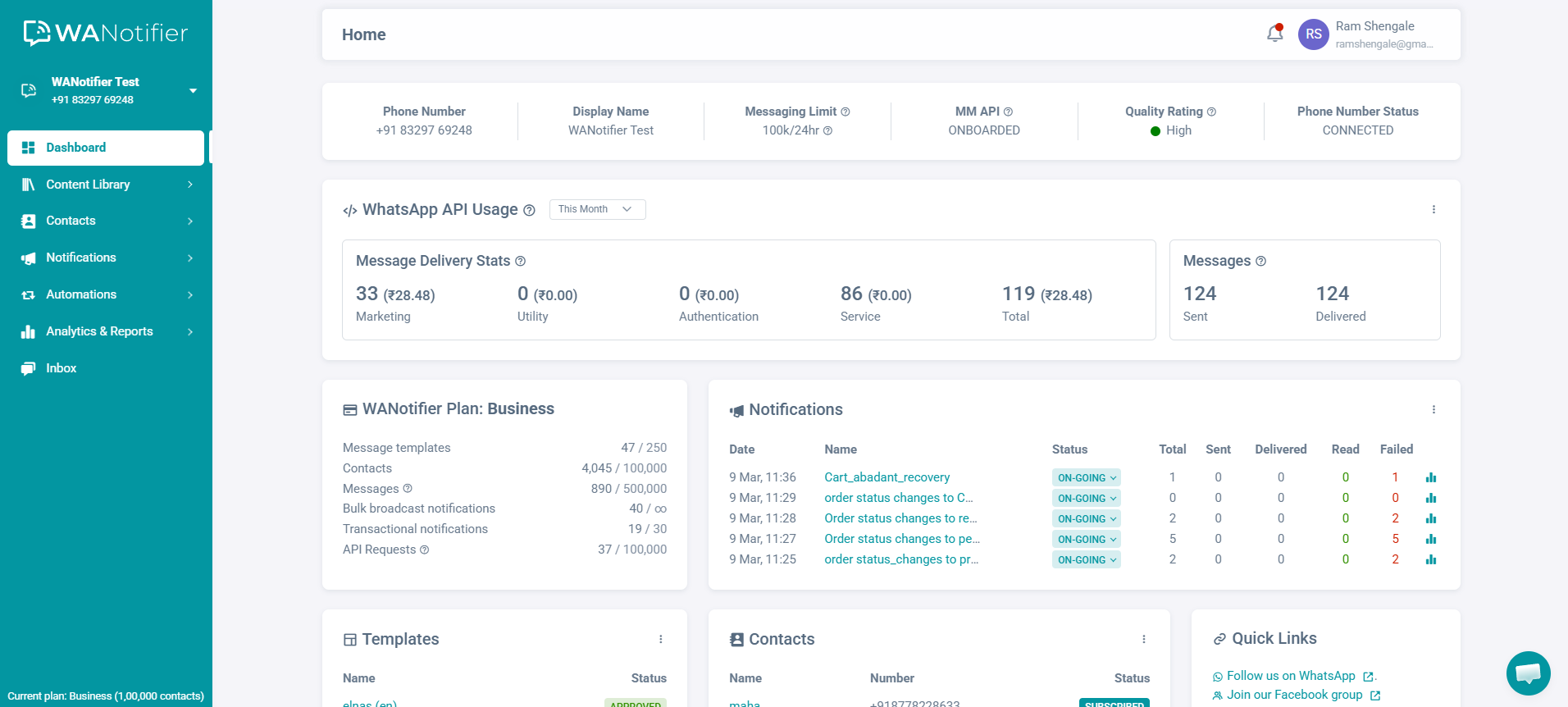
Once your account is set up and your number is connected, you’ll be redirected to your WANotifier dashboard:
Step 2: Upload and Segment Your Contacts
Next, click Contacts in the left sidebar menu, and select the Import/Export option from the dropdown.
You’ll be taken to the following page:
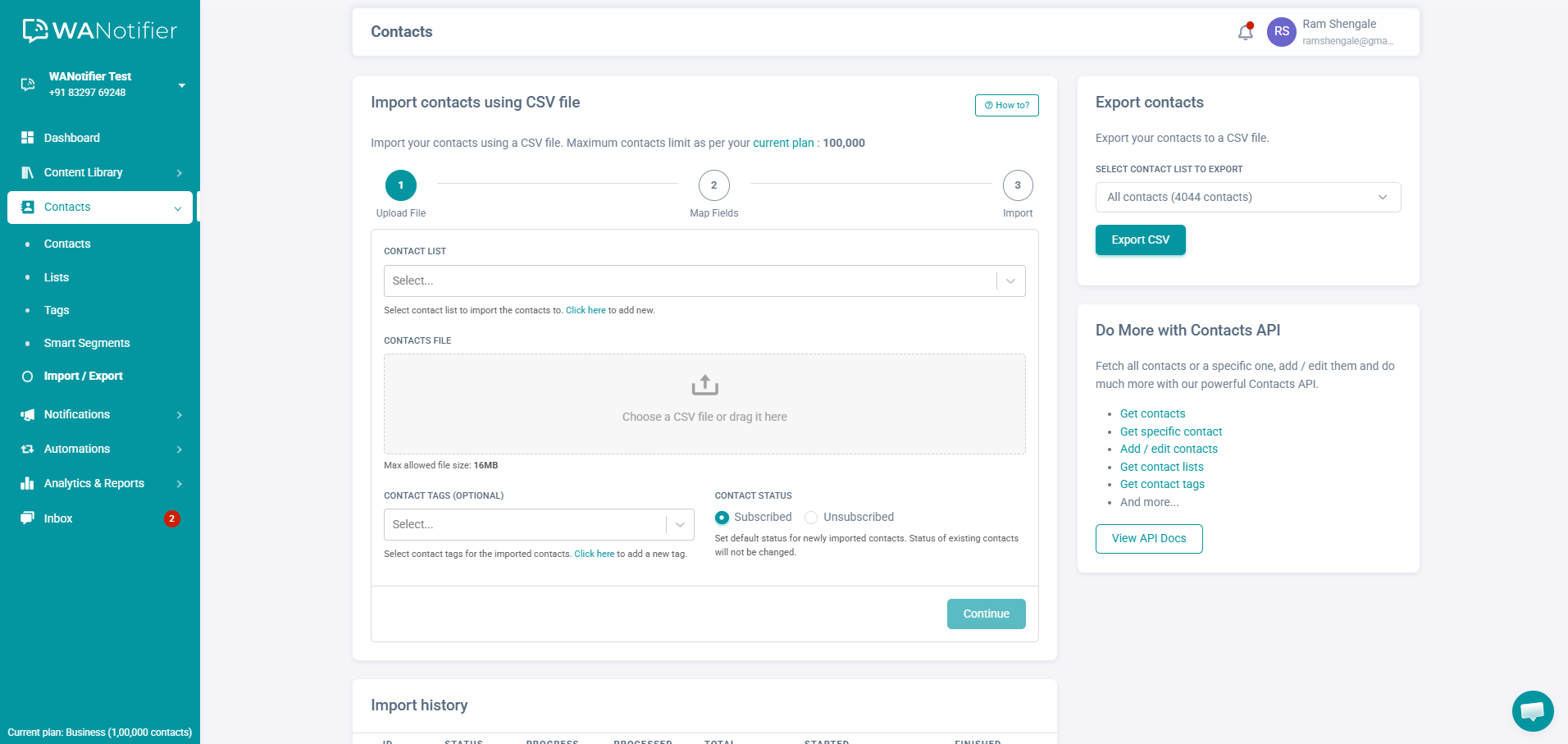
Here, you can import your contacts using a CSV or Excel file, or our Contacts API.
You can also add contacts manually. To do this, go back to Contacts in the left sidebar and select Contacts from the dropdown. Then, click on the Add New button in the top-right corner. This will open a pop-up where you can enter the contact’s details, select the list to add them to, and apply tags or custom attributes.
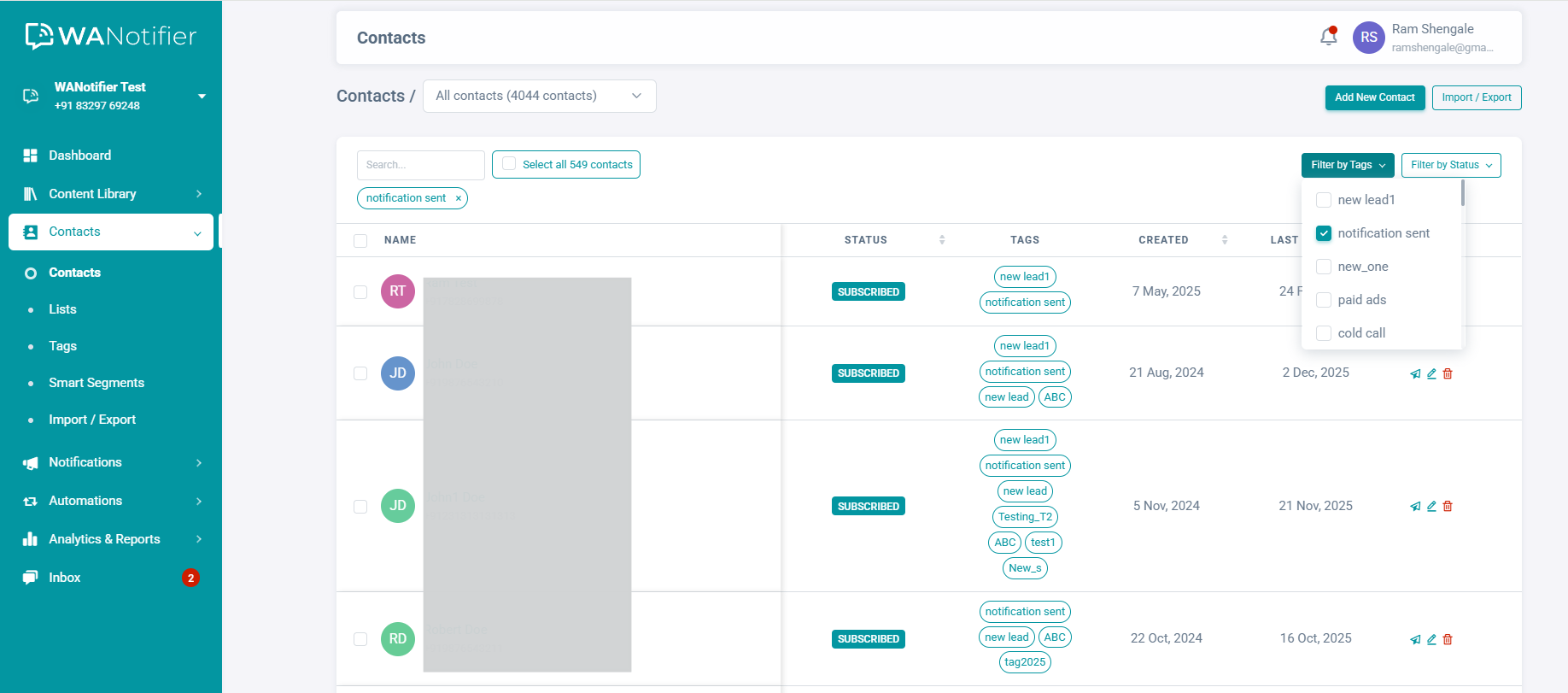
Once your contacts are uploaded, you can filter them by tags or status (subscribed/unsubscribed, saved/unsaved).
You can also create dynamic Smart Segments using filters based on lists, tags, and custom attributes, allowing you to send more targeted promotional messages.
Step 3: Create a Marketing Message Template
With your contacts filtered and organized, you can now create a message template. This will allow you to reuse the same message across multiple promotional campaigns and send it to different contact lists.
To get started, click on Content Library in the left sidebar and select the Message Templates option. This will take you to the template dashboard.
Once there, click the Add New Message Template button in the top-right corner to open the template builder. From here, you can follow this detailed guide to create your promotional message using text, images, videos, and CTA buttons.
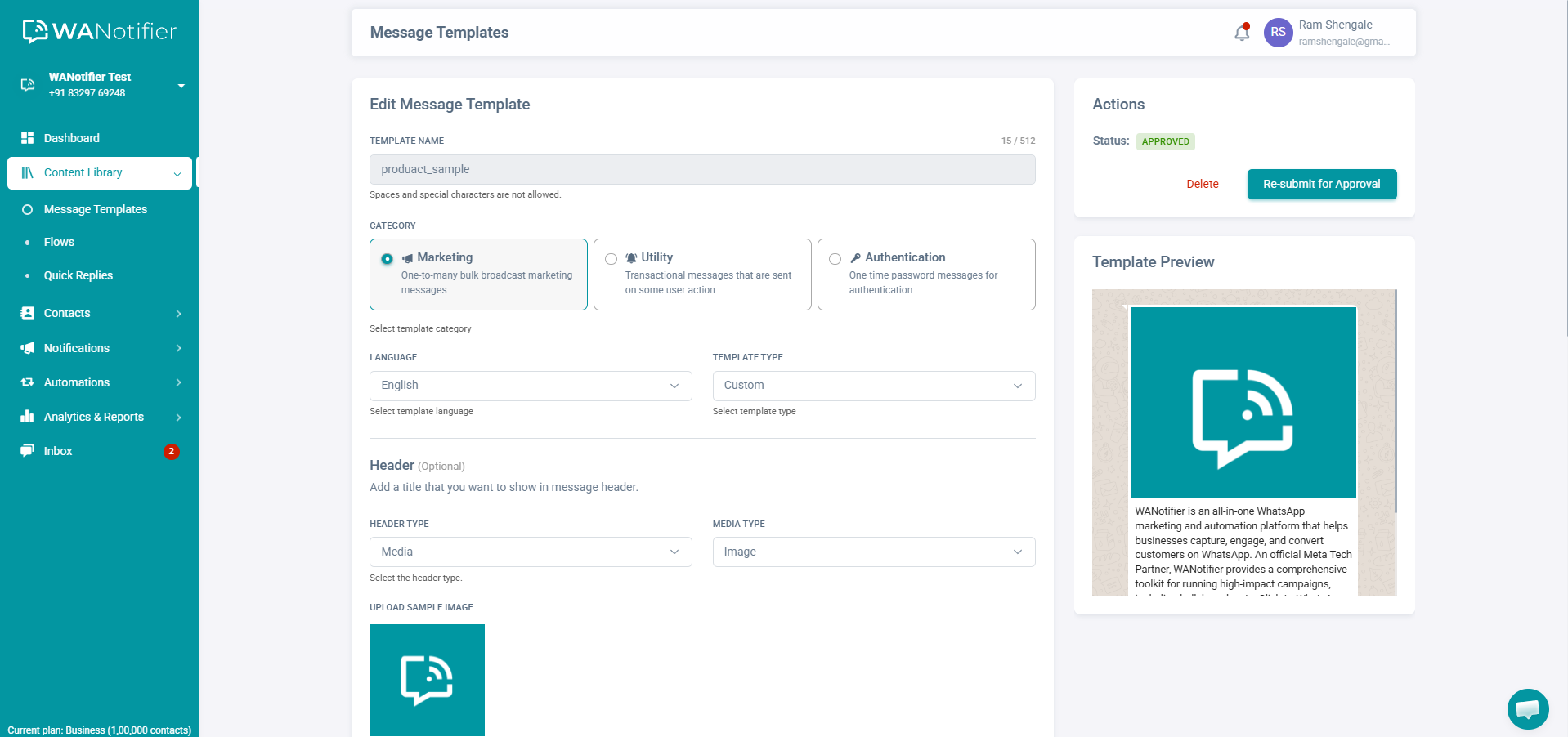
Once your template is ready, click Submit to send it for WhatsApp’s approval. Note that it can take anywhere from a few minutes to up to 24 hours for WhatsApp to review your template, and it cannot be used in a promotional campaign until that’s done.
Step 4: Create a New Promotional WhatsApp Notification
You’re now ready to send or schedule your first promotional WhatsApp message.
To get started, click on Notifications in the left sidebar and select the Add New option. This will take you to the following page:
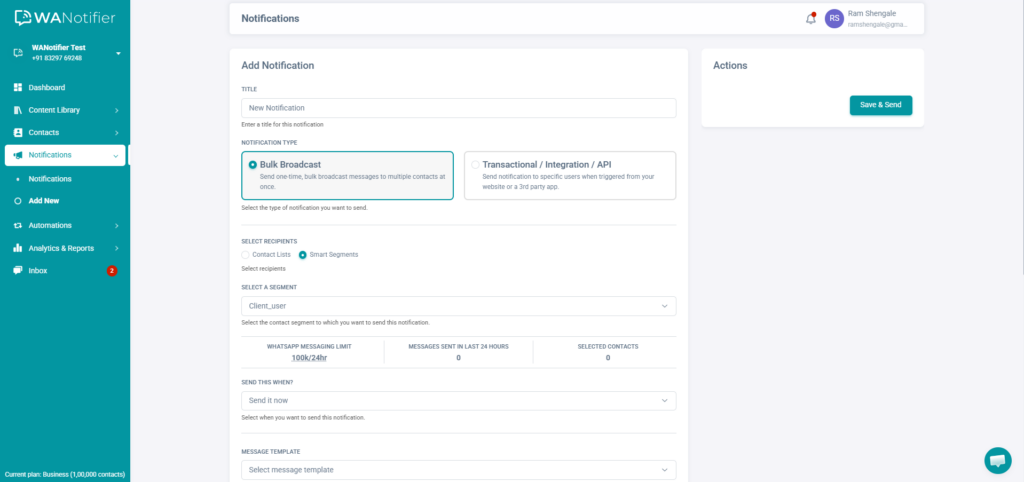
Start by giving your promotional campaign a name. Then, under Notification Type, select the Bulk Broadcast Notification option.
Next, choose the audience for your message:
- Select a contact list, and then use the Include/Exclude Tags option to filter specific contacts within it
- Or select a Smart Segment created in Step 2 to target a more specific audience
Then, choose when to send your campaign. You can send it immediately or schedule it for later.
After that, select your WhatsApp-approved message template from the dropdown. You can also configure additional options under Advanced Settings, such as retrying failed messages (up to three times) or automatically unsubscribing contacts if delivery fails.
Once everything is set up, click Save & Send.
And that’s it! You’ve successfully sent your first promotional message on WhatsApp.
Note: If you want to nurture users over time rather than send a one-time campaign, you can set up a drip campaign using this step-by-step guide.
Use WANotifier to segment your audience and send targeted promotional messages in minutes.
Best Practices for Sending Promotional Messages At Scale
Now that you know how to send promotional messages on WhatsApp, let’s look at some best practices to help you get better results, especially as you scale your campaigns:
1. Get Explicit User Opt-In
WhatsApp requires businesses to get explicit consent before sending promotional messages. You can obtain this consent using a checkbox on your website, a sign-up form, or by asking users to send a keyword such as “Start” in chat.
It’s equally important to make opting out simple. Users should be able to unsubscribe at any time by replying with keywords like “STOP” or “Unsubscribe.” This not only keeps you compliant with WhatsApp’s policies but also helps maintain a healthy, engaged audience.
2. Personalize Your Messages
Another important factor to consider is personalization. Generic messages are easy to ignore, especially at scale, which is why you should use customer data such as names, past purchases, and behavior to craft more relevant messages.
You can also leverage WANotifier’s built-in WhatsApp CRM to segment your audience based on their interests or actions, and send more targeted campaigns.
3. Keep Messages Short & Actionable
Another rule of thumb is to send short, actionable messages that focus on just one goal at a time, whether that’s promoting an offer, driving a click, or getting a reply. And while you’re at it, use clear CTAs and buttons to guide users toward the next step, such as “Shop Now” or “View Offer.”
4. Check Timing and Frequency
Timing and frequency play a key role in how your messages are received. Remember, if you’re sending messages at the wrong time or too often, users may start ignoring them, unsubscribe altogether, or worse, block and report your number on WhatsApp.
To avoid this, test different send times to see what works best for your audience, and maintain a consistent but non-intrusive frequency.
5. Analyze Performance
Finally, it’s important to regularly monitor the performance of your promotional messages and make adjustments as needed.
With WANotifier, you get access to advanced analytics that let you track message delivery and open rates, individual template performance, chatbot and drip sequence sessions, conversions from ad campaigns, and much more, helping you understand what’s resonating with your audience and what needs to be optimized for better results.
Conclusion
You now have a clear idea of how to send and scale promotional messages on WhatsApp. All that’s left is putting it into action.
With WANotifier, you can do that and much more without worrying about hidden costs eating into your marketing budget, thanks to the 0% markup on WhatsApp’s API usage costs and a transparent pricing model.
On top of that, you also get responsive customer support, step-by-step onboarding assistance for the WhatsApp API, and a 7-day free trial on all paid plans, so you can explore the platform without any risk or long-term commitment.
So what are you waiting for?
👉 Sign up today and send your first promotional WhatsApp message in minutes.
Elevate your WhatsApp marketing with WANotifier. Easy to set up. Built to scale. No hidden costs.
Frequently Asked Questions (FAQs)
Is it legal to send promotional messages on WhatsApp?
Yes, sending promotional messages on WhatsApp is completely legal. However, you must still comply with WhatsApp’s business messaging policies to avoid restrictions or account bans.
Do I need user consent to send WhatsApp promotions?
Yes, user consent (or opt-in) is mandatory before sending promotional messages. You can obtain this consent by using website forms or checkout pages, or by asking users to initiate a conversation with a keyword like “Start.”
How much does it cost to send promotional messages on WhatsApp?
The cost of sending promotional WhatsApp messages depends on two main factors: the platform you use to access the WhatsApp Business API and WhatsApp’s messaging charges.
Most platforms charge a subscription fee (monthly, quarterly, or annually) for access to tools that help you use the API.
On the other hand, WhatsApp follows a per-message pricing model, where businesses are charged for each delivered message template based on the message category (marketing, utility, or authentication) and the recipient’s location.
Also, keep in mind that some platforms add a 12% to 25% markup on these messaging charges, which can significantly increase your total cost. This is precisely why it’s important to choose a platform that offers 0% markup, like WANotifier.
How many promotional messages can I send per day?
With the WhatsApp Business API, the number of messages you can send depends on your daily messaging limit, which is based on your phone number’s quality rating.
Note that all businesses start with a limit of 250 messages per day. This can be increased to 2,000 messages by fulfilling certain conditions. From there, your limit can scale further to 10,000, 100,000, and eventually unlimited messages through automatic scaling.
Can I automate WhatsApp promotional campaigns?
Yes, you can automate your WhatsApp promotional campaigns using tools like chatbots, auto-replies, and drip campaigns.
How do I track the performance of promotional WhatsApp messages?
If you’re using WANotifier, you can track the performance of your promotional messages, including message delivery and open rates, as well as individual template performance, using the advanced analytics feature.