Businesses are increasingly curious about advertising on WhatsApp, and for good reason.
With over 3 billion monthly active users and open rates of up to 90%, WhatsApp is one of the few platforms where people not only receive messages but also open and interact with them. For advertisers, that level of visibility and engagement is hard to ignore.
That said, advertising on WhatsApp doesn’t work the same way as it does on other channels. The types of ads you can run, and the rules around promotional content, are unique to the platform and need to be understood carefully before diving in.
In this comprehensive guide, I’ll break down the different WhatsApp advertising options, how to get started, and the best practices to help you reach and capture new audiences.
But first, let’s clarify what WhatsApp advertising actually means and how it works.
What is WhatsApp Advertising?
To put it simply, WhatsApp advertising refers to all promotional activities within or outside WhatsApp that get people to start a WhatsApp chat with your business.
Normally, when people click a call-to-action button in an email, SMS, or online ad, they are redirected to a landing page or form, where they fill out their details and wait for a response. With WhatsApp ads, however, users are taken directly to a WhatsApp chat with your business, where they can:
- Ask questions
- Explore products/services
- Request comparisons or tailored recommendations
- Complete a transaction
…and do much more, without ever leaving the app.
It is also worth noting that when someone clicks on your WhatsApp ad, they already understand they’re initiating a conversation with your business. That alone filters out casual browsers and attracts people who are genuinely interested in learning more about what you offer.
The Types of WhatsApp Ads
Now that you know what WhatsApp advertising really is, let’s explore the different types of ads you can run to reach new audiences and drive meaningful engagement.
1. Ads in WhatsApp Status
Ads in WhatsApp Status are a new advertising format, gradually being rolled out by Meta, that helps businesses get discovered and start conversations with new customers.
Here’s how they work: You create an ad that appears in WhatsApp’s Status section with a call-to-action button such as “Send Message” or “Chat on WhatsApp,” linked to your WhatsApp number. When a user taps this button, they are taken directly into a chat with your business, where they can send a message and receive responses from your team, a chatbot, or an automated workflow.
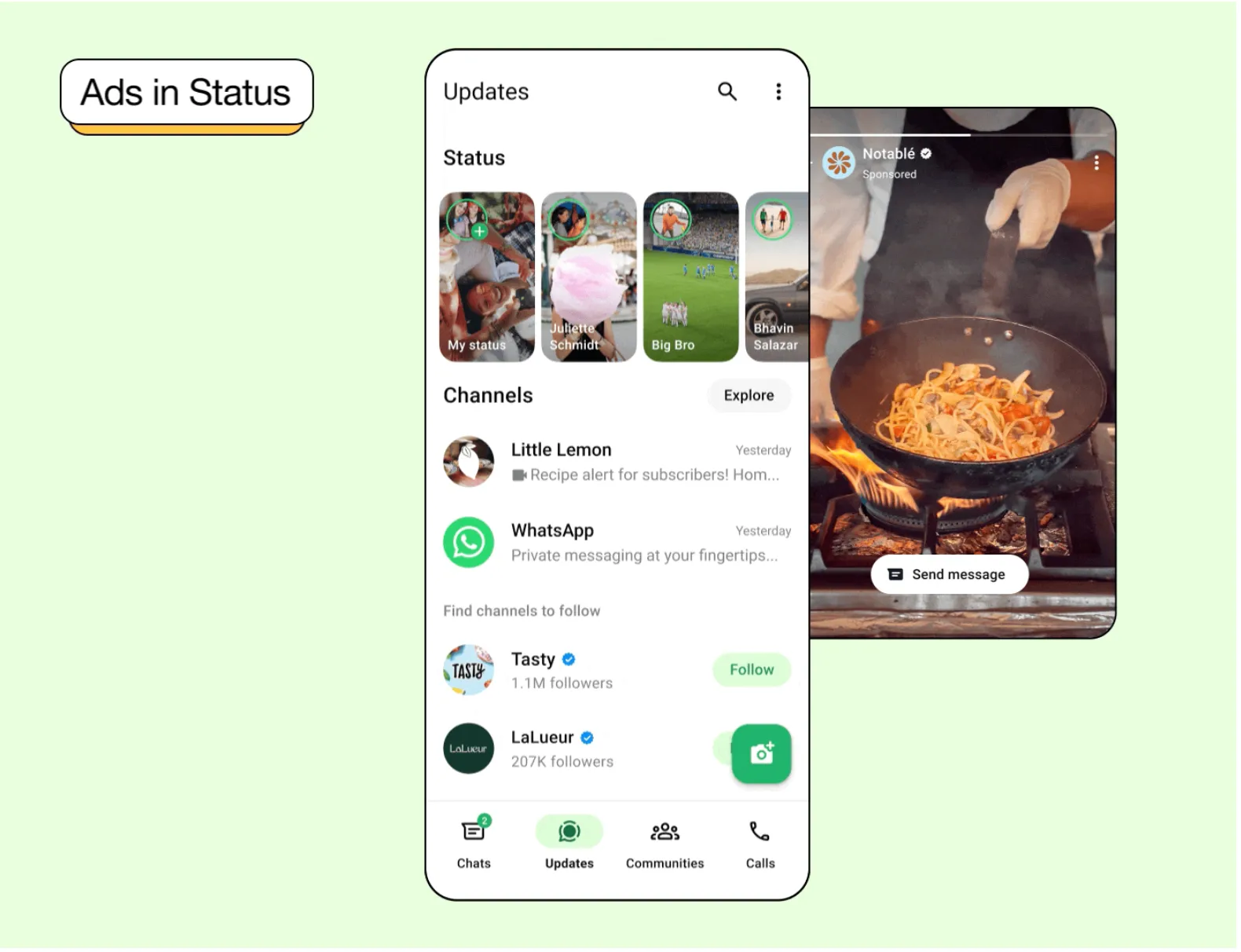
Note that these ads appear only in the Status section, which means they use the same full-screen vertical format (9:16 aspect ratio) and can include a single image or a video up to 90 seconds long. They also disappear after 24 hours, like regular status updates.
Benefits of Status ads: You can reach users in a high-visibility section within WhatsApp and move them directly into a conversation with your business. Also, since these ads appear alongside regular statuses, they feel native while still helping you attract new prospects.
How to set up an ad in WhatsApp Status: You can create WhatsApp Status ads using the Meta Ads Manager. For step-by-step instructions, refer to this official Meta guide.
2) Promoted Channels
Like Status ads, Promoted Channels are part of Meta’s broader push to introduce advertising within WhatsApp, and give businesses a way to increase visibility and grow their audience.
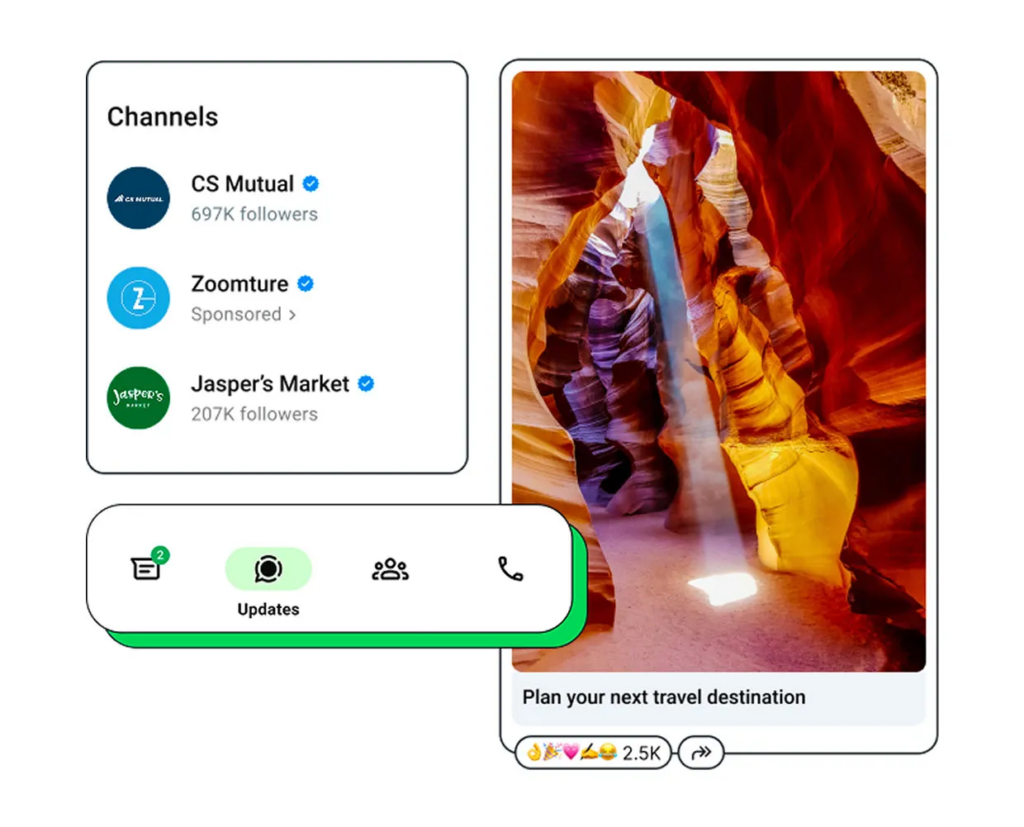
Here’s how they work: Promoted Channels are paid placements, meaning you must pay to have a channel highlighted in WhatsApp’s directory. Once you do that, your promoted channel will appear in the Updates tab and will be clearly labeled as “Sponsored” or “Ad” so users can distinguish it from organic listings.
Benefits of using promoted channels: You can grow your audience directly within WhatsApp, keep followers engaged with regular updates, and share promotional offers from time to time to drive conversions.
How to set up Promoted Channels: As mentioned above, you must pay to promote a channel in WhatsApp’s directory. If you’re interested in learning more, you can subscribe here to receive the latest updates on promoted channels.
3) Click-to-WhatsApp Ads
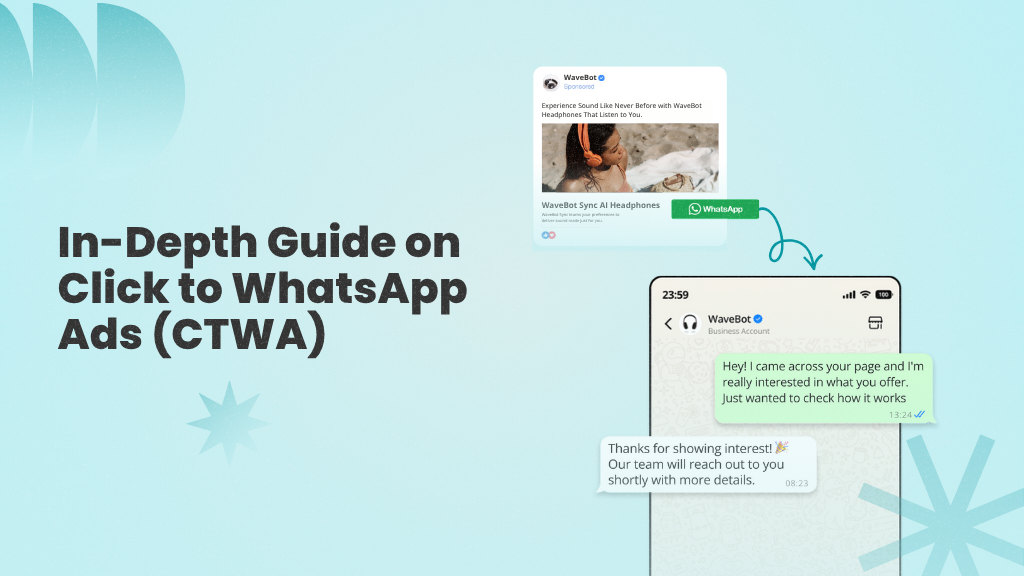
Click-to-WhatsApp ads (or CTWA) are ads run on Meta platforms, like Facebook and Instagram, that feature a call-to-action button, which, when clicked, takes users straight to a WhatsApp chat with your business.
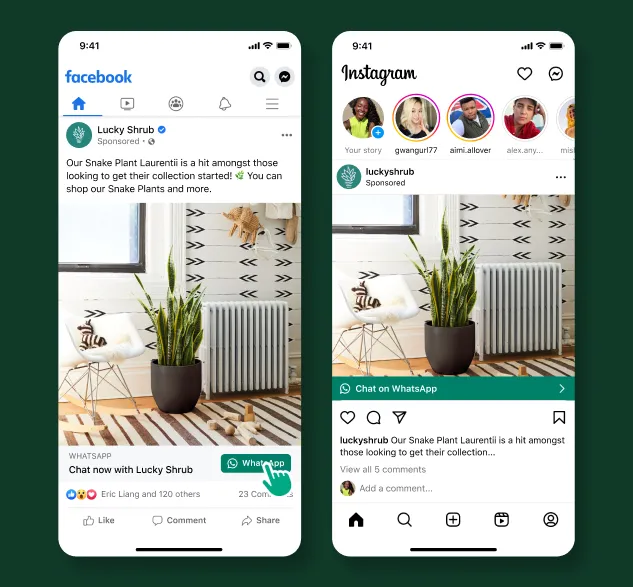
Here’s how they work: Similar to WhatsApp Status ads, you create a Facebook or Instagram ad with a call-to-action button connected to your WhatsApp number. When users click this button, they’re redirected to a WhatsApp chat with your business, where they can ask questions and receive responses from a chatbot or human agent.
Benefits of using click-to-WhatsApp ads: You can generate new leads directly from Meta ads, send users straight into a WhatsApp chat (instead of a landing page or form), and engage prospects in real time while their interest is still high. This can be an excellent source of generating new leads for performance marketers.
How to set up click-to-WhatsApp ads: You can create a click-to-WhatsApp ad from the Meta Ads Manager by selecting one of the following campaign objectives:
- Awareness: Reach people who are most likely to remember your ad. Ideal for new businesses or brands undergoing a rebrand.
- Traffic: Send users to a specific destination, such as your website, online shop, or app.
- Engagement: Encourage people to start a conversation with your business on WhatsApp.
- Leads: Collect leads through messages (WhatsApp), phone calls, or sign-ups.
- Sales: Target users who are most likely to complete a purchase, such as through your e-commerce store.
If you’d like a step-by-step tutorial, take a look at our in-depth guide on generating leads with click-to-WhatsApp ads.
4) Broadcast messages
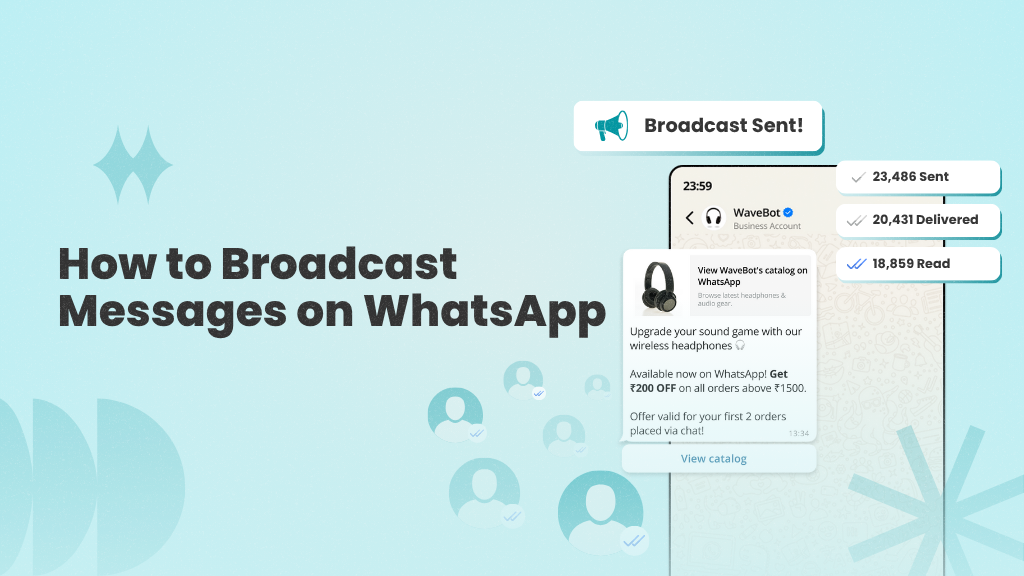
WhatsApp broadcasts let you send the same message to multiple contacts, with each recipient receiving it as a private message from your business. This makes broadcasts especially useful for sharing updates, offers, reminders, or announcements at scale while keeping conversations personal.
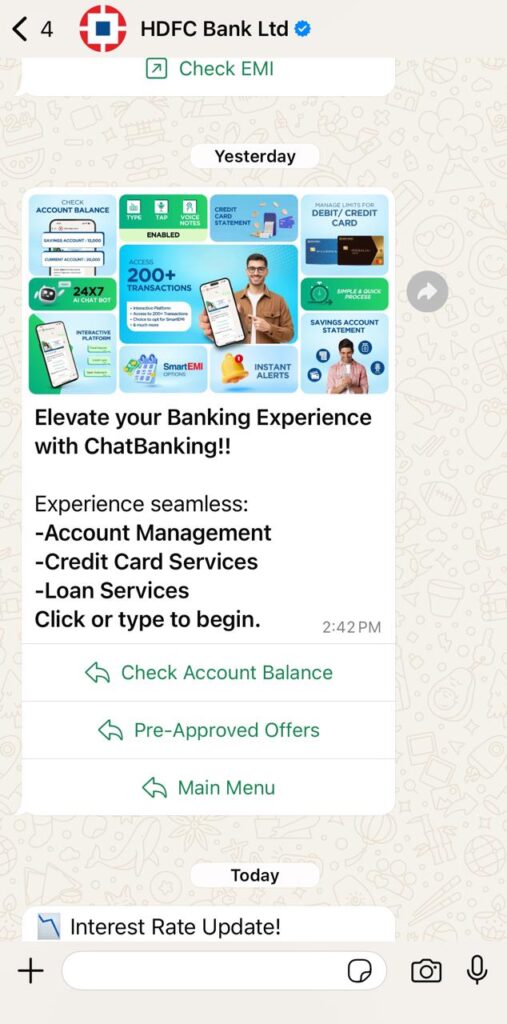
Here’s how they work: To put it in a nutshell, you select a group of contacts or, if you’re using a WhatsApp marketing platform, a filtered contact list, and send the same message to everyone at once.
Note that recipients of a broadcast message cannot see each other, and any replies are delivered to you as individual private messages.
Benefits of using broadcast messages: You can reach multiple contacts at once while keeping conversations private and personal. Broadcasts also make it easier to share updates, send targeted offers, and follow up with leads at scale.
How to create and send a WhatsApp Broadcast: There are two main ways to send promotional broadcasts on WhatsApp:
- WhatsApp Business App
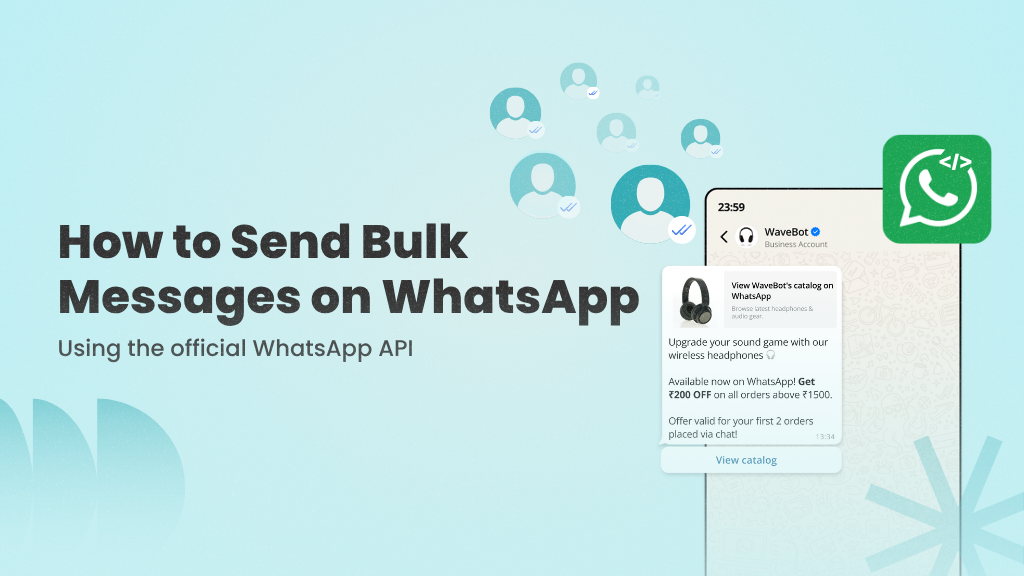
- WhatsApp Business API
We’ll explore the differences between the two in the next section. In the meantime, if you’d like a detailed walkthrough focused specifically on broadcast messaging, you can refer to our step-by-step guide here.
Use WANotifier to capture, engage, and convert your WhatsApp ad leads into paying customers
How to Get Started with WhatsApp Advertising?
Once you decide on the type of WhatsApp ad you want to run, the next step is choosing the right WhatsApp solution.
This is a crucial decision, as it directly impacts your ability to engage and follow up with leads who click your ad and enter into a conversation with your business.
There are two WhatsApp solutions businesses can use:
1. WhatsApp Business App
The WhatsApp Business App is a free mobile app designed for small businesses and individuals who want to connect with customers, answer questions, and showcase products or services.
It works well for basic communication. However, it comes with significant limitations, such as:
- Limited messaging capacity: You can only send broadcast messages to up to 256 contacts at a time
- Basic automation only: You can automate simple greetings and away messages, but no advanced workflows
- No third-party integrations: The app does not integrate with CRMs or other marketing tools, making it difficult to track, manage, or nurture leads effectively
The business app is ideal for running small-scale campaigns and handling conversations manually. However, once you start running larger ad campaigns or receiving a high volume of inquiries, managing conversations and following up with leads can quickly become challenging.
2. WhatsApp Business API
The WhatsApp Business API is designed for businesses looking to scale conversations and manage leads more efficiently.
Unlike the Business App, the API supports:
- High-volume messaging (based on your phone number’s quality rating)
- Advanced automation, including keyword-triggered auto-replies and chatbots
- Multi-agent access, allowing teams to handle incoming leads collaboratively
- CRM and other third-party integrations, so leads can be tracked, segmented, and nurtured across systems
If you expect a high-volume of inquiries from your ad campaigns, the API makes it significantly easier to manage conversations, follow up efficiently, and scale your communication without relying entirely on manual effort.
Here’s a side-by-side comparison of the two solutions:
| Feature | WhatsApp Business App | WhatsApp Business API |
| Cost | Free | Paid |
| Messaging limit | Up to 256 contacts at a time | Unlimited (depending on your phone number quality rating) |
| Automation | Basic auto-replies for greeting and away messages | Full automation with workflows, rule-based triggers, and custom message sequences |
| Chatbots | ❌ Not supported | ✅ Supported (rule-based or AI-powered chatbots) |
| Analytics | Limited | Supports advanced analytics with ROI and conversion tracking for ad campaigns |
| Third-party integrations | ❌ Not supported | ✅ Can integrate with CRMs, marketing tools, and other systems |
| Best For | Individuals and small businesses | Growing, mid-market, and enterprise businesses |
As you can see, both solutions allow businesses to engage with and follow up on leads generated from ad campaigns. However, the WhatsApp Business API provides greater flexibility, advanced automation, and more control over how conversations are managed, making it better suited for businesses handling a higher volume of chats.
With that in mind, let’s look at how you can run WhatsApp advertising at scale using the WhatsApp Business API.
Running WhatsApp Advertising Campaigns At Scale Using the WhatsApp API
While the WhatsApp Business API offers high-volume messaging, chatbots, and third-party integration capabilities, it does not come with a built-in dashboard or interface you can use directly.
To access and manage these features, you need to use a third-party platform like WANotifier, an all-in-one WhatsApp marketing and automation solution, that comes with ready-to-use features for:
- Sending WhatsApp campaigns at scale
- Automating follow-ups
- Converting leads generated from your WhatsApp ads
…and do much more.
To get started, you need to create your WANotifier account and set up your phone number with WhatsApp API. You can follow this step-by-step guide to complete the setup.
No code. Minimal setup. Launch your next WhatsApp marketing campaign in minutes with WANotifier!
Best practices for Advertising on WhatsApp
Now that you know how to run WhatsApp advertising campaigns at scale using WANotifier, let’s look at some best practices for getting optimal results from your ads.
1. Be Transparent: Make sure your ads clearly reflect what you actually offer. For example, if your ad promotes a discount, the same offer should be communicated in the WhatsApp conversation with your business. If pricing or availability has conditions, then you should mention them upfront. You should also avoid exaggerated claims or vague messaging that creates confusion once the user clicks.
2. Use High-Quality Creatives: Your ad creative plays a major role in whether someone decides to start a conversation. That’s why you must always use clear visuals, highlight specific benefits, and keep your messaging concise. Also, rather than generic phrases like “Best Product Ever,” focus on what makes your offer relevant to the audience you’re targeting.
3. Respect Customer Boundaries: Once a user messages your business, avoid overwhelming them with frequent promotional broadcasts. Additionally, make sure you have proper opt-ins before sending follow-ups, and focus on sending relevant messages instead of generic campaigns to all your contacts. It’s also important to segment your contacts based on how they interacted with your ads and tailor your follow-ups accordingly.
4. Monitor Campaign Performance: You should also regularly monitor key metrics such as response and click-through rates, and conversions from your ad campaigns. Reviewing this data helps you refine your strategy, identify areas for improvement, and optimize performance over time.
Conclusion
WhatsApp ads are one of the most effective ways to turn interest in your product or service into real-time conversations.
That said, capturing attention is only half the battle.
The real work begins after someone clicks on your ad. How quickly can you respond? How efficiently can you qualify and segment leads? And how consistently can you convert those conversations into paying customers?
That’s where most businesses fall short.
With WANotifier, you get a complete suite of WhatsApp marketing and automation tools designed to help you manage, nurture, and convert leads generated from your WhatsApp ads.
👉 Sign up today and make every ad click count with WANotifier.
Launch, manage, and scale your WhatsApp ad campaigns without writing any code or technical setup!
Frequently Asked Questions (FAQs)
Is WhatsApp advertising legal?
Yes, WhatsApp advertising is absolutely legal. That said, you still have to comply with WhatsApp’s Business and Commerce policies to advertise and send messages on the platform.
How much does WhatsApp advertising cost?
The cost of WhatsApp advertising typically includes two main components:
- Ad spend (what you pay Meta to run ads on Facebook, Instagram, or within WhatsApp).
- WhatsApp messaging charges, which are based on the type of message (marketing, utility, authentication) and the recipient’s location
If you’re using the WhatsApp Business API, you may also need to factor in the subscription cost of a third-party platform that provides the tools to manage and automate campaigns at scale.
Note that some of these platforms add a 12% to 25% markup on top of WhatsApp’s official messaging fees, which can increase your overall costs. This is why you must always review pricing carefully and, preferably, opt for platforms that offer 0% markup.
What industries benefit most from WhatsApp advertising?
WhatsApp advertising works especially well for industries that rely on direct conversations to close sales or handle inquiries. This includes:
and more.
How can you measure the performance of your WhatsApp ad campaigns?
To measure the performance of your WhatsApp ad campaigns, you should track both ad-level metrics and messaging metrics.
At the ad level, you can monitor key indicators such as click-through rates, cost per click, and conversion rates. On the messaging side, you can evaluate the performance of follow-up messages, drip sequences, and chatbot sessions to understand how effectively conversations are being nurtured.
Note that with WANotifier, you get access to advanced analytics that allow you to track message delivery and open rates, API usage costs, individual template performance, and chatbot and drip sequence sessions. You can also monitor lead conversions from your Click-to-WhatsApp ads using the built-in conversion tracking feature.