Adding WhatsApp to your WordPress site can help you respond instantly to customer queries, capture leads before they bounce, let visitors contact you without filling out forms, and do much more.
But here’s the thing: there are dozens of WhatsApp plugins for WordPress out there, and they all promise to do something different. Some keep it simple with a chat button, while others connect to your forms, automate workflows, enable e-commerce notifications, or support multi-agent collaboration.
Below, I’ve curated a list of the top five WhatsApp plugins for WordPress, ranging from lightweight chat-button solutions to feature-rich options that cater to more advanced use cases. I’ve also included the criteria I used to evaluate them, so you can apply the same framework to any other plugins outside this list.
Let’s get right into it.
What to Look For in a WhatsApp Plugin for WordPress
Choosing the right WhatsApp plugin starts with understanding your business goals and what you want WhatsApp to do for your site. Ideally, you’ll want something that’s easy to set up and customize, supports all the features you need, and integrates seamlessly with the tools already on your website.
I suggest you use the following criteria to evaluate your options:
1) Ease of Use and Setup
The first thing to consider is how easy it is to install and configure the plugin on your own. A good WhatsApp plugin should provide clear setup instructions and also make it easy to find support or troubleshooting resources if you encounter any issues.
2) Features and Business Requirements
As mentioned earlier, not all WhatsApp plugins offer the same capabilities. Some only add a basic chat button, while others let you send automated notifications from your form builder, e-commerce store, and other tools, and even collaborate with your team on customer chats.
Since the feature set varies significantly, it’s important to understand your business goals and verify whether your chosen plugin aligns with them. That way, you won’t end up paying for features you don’t need or choosing a plugin that’s incompatible with your workflow.
3) Compatibility with Other Integrations
If you need your WhatsApp plugin to work alongside the other tools on your website (like your themes, form builders, and e-commerce plugins), you’ll want to check how well it supports them. Remember, the more compatible a plugin is with your existing setup, the easier it will be to trigger notifications from your tools, sync data, and automate workflows.
4) Support Quality and Frequency of Updates
A WhatsApp plugin is only as reliable as the team maintaining it. Frequent updates are a good sign as they indicate that the developers are actively improving the plugin, fixing bugs, and keeping it compatible with the latest version of WordPress.
Support quality matters too. A responsive support team and clear documentation make the setup smoother and troubleshooting a lot easier. You can also check the WordPress plugin directory and trusted review sites to get a sense of how reliable the team behind a plugin is before making a decision.
5) Pricing
Pricing varies widely across WhatsApp plugins. Some are completely free, others follow a freemium model with optional upgrades, and some only offer a paid subscription with monthly or annual plans.
For advanced use cases, like sending messages from your connected tools or automating replies, you’ll also need to set up your number with the WhatsApp Business API.
Please note that this will incur a separate cost: you’ll pay on a per-message basis, depending on the message type and the recipient’s location (learn more about it here). These API costs will be charged either by your WhatsApp API provider or directly by Meta (depending on the API provider’s billing framework). Note that some API providers may also charge a 12% to 35% markup on the messaging rates.
So, to summarize, when you’re evaluating a plugin, factor in both the plugin costs and potential API messaging charges to see if they align with your budget.
Best WhatsApp Plugins for WordPress
Now that you know how to evaluate a WhatsApp plugin, let’s quickly compare the top five options based on the features that matter most.
| Feature | WANotifier | Uncanny Automator | Brevo | WP Chat App | Join.chat |
| Real-time WordPress alerts (new posts, users, comments, etc.) | ✔️ | ✔️ | ✔️ | ❌ | ❌ |
| Send WhatsApp broadcasts/ newsletters | ✔️ | ❌ | ✔️ (available with $499 per month plan) | ❌ | ❌ |
| WhatsApp notifications from form plugins (Contact Form 7, WPForms, Gravity Forms, etc.) | ✔️ | ✔️ | ✔️ | ❌ | ❌ |
| WooCommerce integration | ✔️ (automated messages for order updates, abandoned cart recovery, COD confirmation, etc.) | ✔️ | ✔️ | ✔️ | ✔️ |
| Automations (chatbots, auto-replies, etc.) | ✔️ | ✔️ | ✔️ | ❌ | ✔️ (in premium) |
| User Segmentation | ✔️ | ❌ | ✔️ | ❌ | ❌ |
| Multi-agent support | ✔️ (facilitated by WANotifier’s shared team inbox) | ❌ | ✔️ (facilitated by Brevo’s all-in-one inbox) | ✔️ | ✔️ (in premium) |
| Pricing | Starting from $49/month (for 1,000 contacts), 0% markup on WhatsApp fees | Free plan; paid plans from $199/year | Starting from $9/ month; WhatsApp campaigns available from $499/month | Free version; Pro for a one-time payment of $39 | Free version; Premium from €8/month |
1) WANotifier
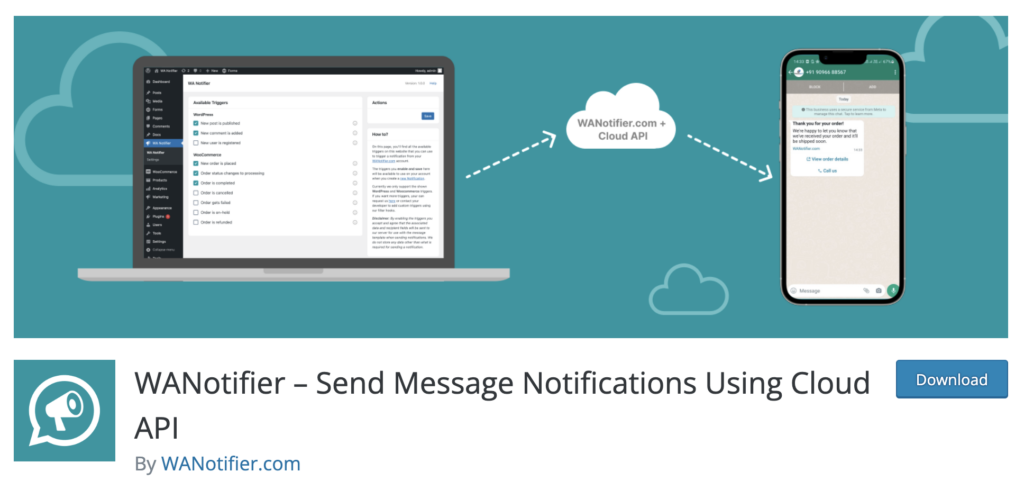
WANotifier’s WhatsApp API integration plugin for WordPress gives you more than just a simple chat button.
As part of a comprehensive WhatsApp marketing and automation platform, it also enables you to integrate custom chatbots, built within WANotifier, into your chat button so you can automate responses to customer queries and provide 24/7 support.
The plugin also supports WhatsApp notifications for important WordPress events, such as when:
- A new post or page is published
- A custom post type is published
- A new comment is added
- Or, a new user registers on your website
If you use form plugins like Contact Form 7, Gravity Forms, WPForms, Ninja Forms, Formidable Forms, and Fluent Forms, you can use WANotifier’s plugin to trigger WhatsApp notifications for form submissions. You can also optimize your lead capture flow by adding submitted user details to your contact lists and organizing them using WANotifier’s built-in CRM for future follow-ups (learn more about it here).
For WooCommerce sites, the plugin goes even further. You can send WhatsApp notifications for:
- New orders (including cash on delivery orders)
- Order status updates, such as Processing or Completed
- Custom order statuses
- Abandoned carts
…and much more.
Note that all of these workflows are powered by the WhatsApp Business API, which you can set up for free through WANotifier (see the detailed guide here). Once you’ve done that, you’ll be able to use WANotifier’s WhatsApp marketing platform to:
- Send instant or scheduled WhatsApp broadcasts to thousands of opted-in contacts at once
- Trigger transactional messages for form submissions, order confirmations, or callback requests
- Capture leads from Facebook and Instagram ad clicks and add them to your contact lists (learn more about it here)
- Run drip campaigns to onboard users, nurture leads, and re-engage inactive customers
- Set up chatbots and auto-replies to handle FAQs and provide 24/7 support
- Use WhatsApp Flows to collect customer details and documents within chat
- Integrate your website, CRM, e-commerce tools, and other third-party apps with WhatsApp (using WANotifier’s WordPress plugin and REST API)
- Track message delivery and open rates, chatbot and drip sequence sessions, Flow completions, and ad conversions
- Collaborate on chats using a WhatsApp team inbox (assign chats, invite team members, and view full conversation history)
Key Features
- WhatsApp chat button (with the option to integrate chatbots for automated responses)
- WhatsApp notifications for WordPress events (new posts, comments, users, etc.)
- Seamless integration with major form plugins (Contact Form 7, Gravity Forms, WPForms, Ninja Forms, Formidable, Fluent Forms)
- WooCommerce notifications for new orders, status updates, abandoned carts, and more
- Backed by a comprehensive WhatsApp marketing and automation platform (that lets you send bulk broadcasts, set up auto-replies and chatbots, create drip campaigns, monitor ROI and ad-driven conversions, and much more)
Pricing
As mentioned earlier, it’s essential to consider both plugin costs and WhatsApp API messaging fees (if applicable) when choosing a platform. WANotifier offers a significant advantage here: while most API providers add a 12% to 35% markup on WhatsApp’s official messaging rates, WANotifier charges 0% markup (so, you only pay what WhatsApp actually charges for sending messages).
Also, since WANotifier’s WordPress plugin is part of its comprehensive marketing and automation platform, your subscription includes not only the plugin but access to a full suite of WhatsApp marketing features at transparent prices. Here’s an overview of WANotifier’s monthly plans to give you a sense of what to expect:
- Essentials: Starts at $69 or ₹2,499/month (for 1,000 contacts)
- Advanced: Starts at $119 or ₹4,999/month (for 1,000 contacts)
- Premium: Starts at $199 or ₹7,999/month (for 1,000 contacts)
Best For
Business owners looking for a WordPress plugin backed by a complete WhatsApp marketing platform that supports bulk broadcasts, chatbots, third-party integrations, a shared team inbox, advanced analytics, and much more.
No-code. Minimal setup. Launch your next WhatsApp marketing campaign in minutes!
2) Uncanny Automator
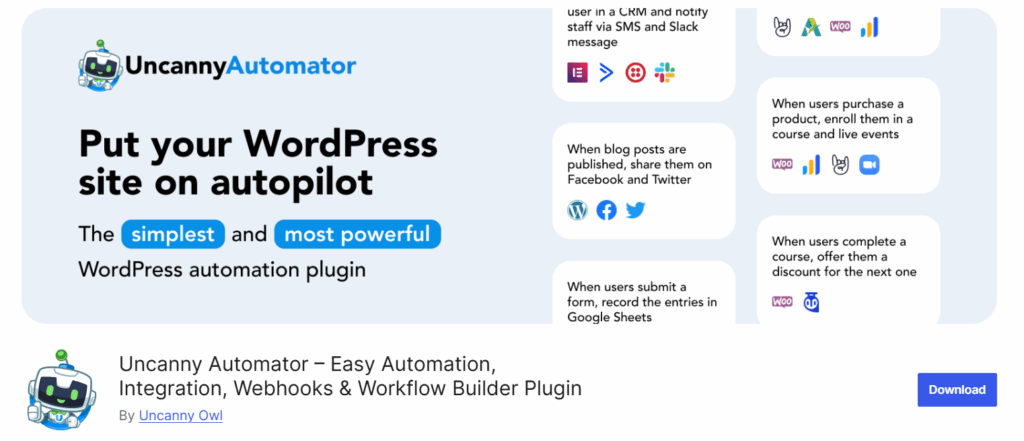
Uncanny Automator is a powerful automation plugin that gives WordPress sites direct access to the WhatsApp Business API.
Once set up, it acts as a bridge between WhatsApp and your WordPress ecosystem, allowing you to send message templates, trigger automated replies based on user actions, and create automation rules or “recipes” that connect WhatsApp with WooCommerce, form builders, and other integrations.
Uncanny Automator also includes built-in tools to handle opt-ins. It can detect when a message isn’t delivered because a user hasn’t opted in to hear from your business, and can automatically send follow-up prompts to request permission.
Key Features
- Direct integration with the WhatsApp Business API
- Allows users to send WhatsApp messages and message templates
- Enables users to trigger transactional messages based on user actions
- Supports the creation of automation rules (or “recipes) that connect WhatsApp with WooCommerce, LMS plugins, membership tools, and other supported tools.
Pricing
Uncanny Automator offers a forever-free plan that includes built-in automation and integration support for popular apps, including WhatsApp. However, if you want access to more features and integration, and the ability to connect multiple sites, you’ll need to upgrade to one of the following plans:
- Basic: $199/year (license for 1 website)
- Plus: $349/year (license for 10 websites)
- Elite: $599/year (license for 50 websites)
Best For
Site owners looking to connect WhatsApp to WooCommerce, LMS tools, form builders, and other integrations, and trigger automated messages based on user actions.
3) Brevo WordPress Plugin
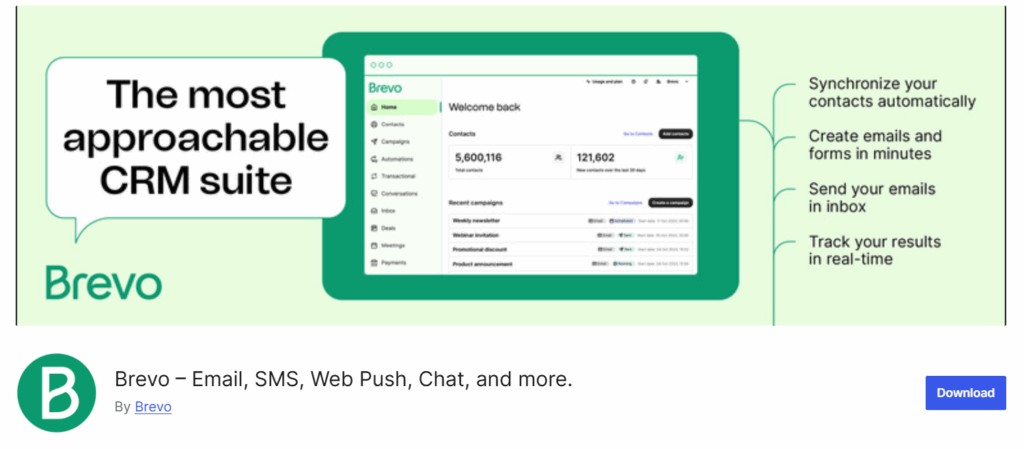
Brevo is an omnichannel marketing and CRM platform that also offers a WordPress plugin to automate communication and manage contacts seamlessly. You can use it to trigger emails and WhatsApp messages when a new WordPress post goes live, sync contacts in real time, and track user activity to understand how visitors interact with your site.
Please note that Brevo’s WordPress plugin is backed by its marketing platform, and you will need to create a Brevo account to access its features.
It’s also important to understand (especially if you want to use Brevo as your WhatsApp marketing solution) that Brevo only offers WhatsApp as a marketing channel on its higher-tier plans, starting at $499 per month. Additionally, it applies a significant markup to WhatsApp’s official message rates (roughly 36.5% on marketing messages in India), which can make WhatsApp campaigns considerably more expensive.
Key Features
- Customizable forms and pop-ups (with advanced opt-in options)
- Advanced contact list management and segmentation capabilities
- Supports omnichannel campaigns (across WhatsApp, SMS, email, and other channels)
- Allows users to trigger automations based on user actions
- Seamless integration with WooCommerce
Pricing
The Brevo WordPress plugin itself is free, but if you want to send more than 300 emails per day or use WhatsApp as a marketing channel, you’ll need to upgrade to one of the following paid plans:
- Starter: $9 / ₹625 per month
- Standard: $18 / ₹1,345 per month
- Professional: $499 / ₹44,680 per month (includes WhatsApp campaigns)
- Enterprise: Pricing available on request
Also, if you plan to send 1:1 WhatsApp messages or collaborate with your team on customer chats, you’ll also need to invest in one of the following Sales Packages:
- Sales Essentials: $31 / ₹2,597 per month (includes multi-user access)
- Sales Advanced: $65 / ₹5,283 per month (includes 1:1 WhatsApp messaging)
Best For
Established businesses that want a WordPress plugin backed by an omnichannel marketing and CRM platform.
Switch to WANotifier and only pay for what you use. No API markups or hidden costs!
4) WP Chat App
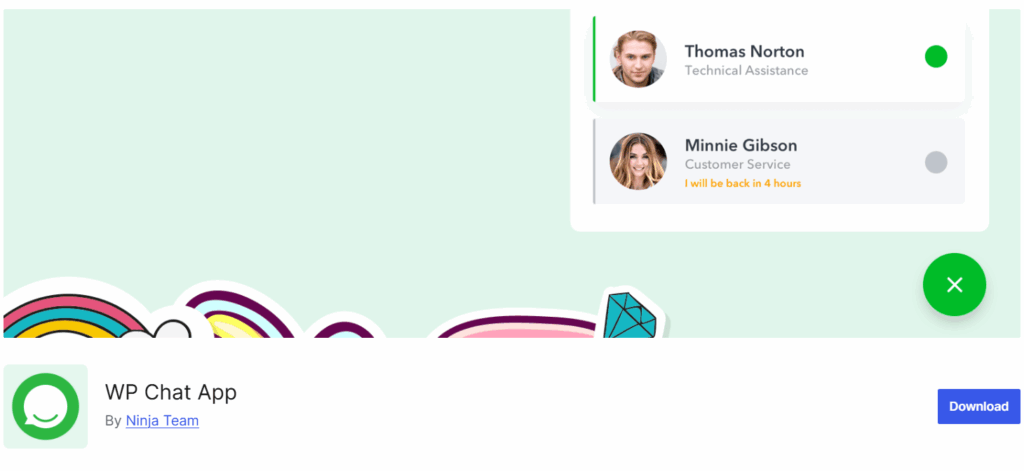
WP Chat App helps you add WhatsApp as a support channel on your website (which, for many businesses, is all they really need). It lets you place a floating chat button or a widget on your site so visitors can reach you (or your team) instantly.
You can also add multiple WhatsApp numbers and customize agent profiles with a name, title, avatar, greetings, and working hours.
For WooCommerce stores, the plugin lets you assign specific agents to product pages and control where the WhatsApp button appears.
However, it’s worth noting that WP Chat App is built around the WhatsApp Business App, not the WhatsApp Business API. This means it’s limited to customer-initiated chats and can’t send automated messages or notifications the way API-based tools like WANotifier, Uncanny Automator, or the Brevo WordPress plugin can.
Key Features
- WhatsApp floating widget
- WooCommerce WhatsApp button (with the ability to choose a specific agent or expert for a product)
- Shortcodes for placing click-to-WhatsApp buttons anywhere on your site
- Event tracking integrations (Google Analytics, Google Tag Manager, GA4, and Facebook Pixel)
Pricing
You can use WP Chat App for free, which is enough for basic WhatsApp chat functionality on most sites. That said, if you want access to advanced features and improved performance, with six months of VIP chat support, you can upgrade with a one-time payment of $39.
Best For
WooCommerce store owners who get a handful of customer queries each day and mainly want to use WhatsApp as their support channel.
5) Join.chat

Join.chat is a popular WhatsApp plugin that lets you add a floating button to your website. When someone clicks it, Join.chat automatically opens WhatsApp on their phone, or launches WhatsApp Web or the WhatsApp desktop app on their PC.
Setup is straightforward, and the plugin gives you plenty of ways to tailor the chat experience. You can send text messages, images, videos, GIFs, or QR codes, create page-specific CTAs, and personalize the first message so visitors can start a conversation immediately. You can also add opt-in text to set expectations before someone reaches out.
If you run a WooCommerce store, you can define CTAs and custom start messages for your shop page, product pages, and sale items, and even place a WhatsApp contact option right next to the Add to Cart button.
Key Features
- WhatsApp contact button
- Support for rich media in chats: text, images, videos, GIFs, QR codes, etc.
- Page-specific CTAs and customizable starting messages
- WooCommerce integration
- Analytics integrations with GA4, Google Tag Manager, and Facebook Pixel
Pricing
Join.chat offers a free version that lets you add WhatsApp to as many sites as you like.
However, if you want more advanced features, such as chatbot-style conversation flows, multi-agent support, and support for additional channels like Telegram, Messenger, and phone calls, you’ll need to upgrade to one of the following paid plans:
- Personal: €8 per month (includes 1 website)
- Personal+: €15 per month (includes 1 website)
- Freelance: €20 per month (includes 5 websites)
- Agency: €40 per month (includes 100 websites)
Best For
Website owners and online retailers who want a lightweight, easy-to-use WhatsApp contact solution.
Which WhatsApp Plugin for WordPress is Right for You?
And that completes this list of the best WhatsApp plugins for WordPress available today!
If there’s one thing to take away from this breakdown, it’s that the right plugin depends entirely on what you want WhatsApp to do for your website.
Most options out there fall into two categories: simple plugins that add a basic chat button for lightweight support, or API-backed solutions that unlock advanced features and automation, but often become expensive due to markups and high subscription costs.
WANotifier is one of the few platforms that offers a practical middle ground. Its WordPress plugin is backed by a full WhatsApp marketing and automation platform, which means you can use it for more than just on-site chat. You can send bulk broadcasts, build chatbots, create drip sequences, analyze ROI, track conversions, and manage your entire WhatsApp strategy from one place.
Another advantage of WANotifier is that it uses a transparent pricing model and applies 0% markup on WhatsApp’s official messaging rates, making it far more accessible than most API-based alternatives.
If you’re still unsure, you can always start with WANotifier’s free 7-day trial to see if it aligns with your workflow, budget, and business goals.
👉 Sign up today and see how easy it is to grow your business on WhatsApp with WANotifier.
Elevate your WhatsApp marketing with WANotifier. Easy to set up. Built to scale. No hidden costs.
Frequently Asked Questions (FAQs)
1) How to install and set up a WhatsApp plugin?
Installation steps vary depending on the plugin you choose. For accurate, step-by-step instructions, you should check out the plugin’s listing in the WordPress Plugin Directory and check the Installation tab. This will give you the exact setup process for that plugin.
2) Can I use WhatsApp on WordPress without the Business API?
Yes. If you just need a chat button on your website, you can use a plugin that connects to the WhatsApp Business App. This will allow your site visitors to start a conversation, and you can reply to their messages from the app just like you normally would.
However, if you want to send automated responses or trigger transactional messages based on user actions like form submission, purchases, or callback requests, you will need an API-based solution like WANotifier’s WhatsApp API integration plugin for WordPress.
3) Can I use WhatsApp on my website without using a plugin?
Yes. You can use a WhatsApp chat-button generator to create a click-to-chat button that opens a direct conversation with your business on WhatsApp. Alternatively, if you simply want to exchange direct messages, you can also use a free WhatsApp link generator to create a direct message link for your business.
Finally, you can also leverage WANotifier’s REST API to send WhatsApp messages to your customers from your website and other third-party apps.
4) Will a WhatsApp plugin slow down my WordPress site?
Most WhatsApp plugins are lightweight and should not have any noticeable impact on your site’s performance. If you do experience lags (or any other performance-related issues) after installation, check the plugin’s documentation for guidance or reach out to the support team for help.