A few years ago, customers accepted being redirected to websites, filling out long forms, and waiting a few days for a response after clicking the “Submit” button.
Looking back, that feels strangely outdated.
Today, customers expect businesses to meet them where they already are: on fast, familiar channels they trust and use every day.
WhatsApp happens to be one of those channels.
For enterprises managing thousands (or millions) of customer interactions, WhatsApp has evolved into a powerful real-time communication channel that supports fast, personalized messaging, with the flexibility to automate conversations, guide them manually, or combine the two approaches as needed.
This shift is why WhatsApp is being actively evaluated and adopted as a core part of the customer communication strategy in large organizations.
If your enterprise is considering a similar move, this guide will help you understand what this would actually look like in practice. From benefits and use cases to pricing and implementation options, it will cover everything you need to make a confident decision.
Let’s start with a quick overview of what WhatsApp for enterprise businesses really entails.
Understanding WhatsApp for Enterprise Businesses
Interacting with customers at scale while keeping communication personal is a real challenge for large organizations. This is where WhatsApp becomes especially effective for enterprise communication. In practice, this translates into enterprises using WhatsApp to:
- Send and receive a large volume of messages, including promotional, transactional, and service-related communication
- Set up automations that provide instant responses and guide people through common workflows (so you can reduce manual workload)
- Connect WhatsApp with your existing tools to sync customer information and trigger messages based on specific actions or events
- Enable multiple people to collaborate on customer chats from a single WhatsApp number
…and a lot more, as you’ll see later in this guide.
With a clearer picture of how WhatsApp can be used at the enterprise level, let’s understand why it deserves a place in your communication stack.
Why Enterprises Must Consider WhatsApp for Business Messaging
For enterprise leaders, adopting a new communication channel isn’t just adding one more touchpoint to their stack; it’s a strategic decision about how their business will reach customers, drive meaningful engagement, and build long-term relationships at scale.
This is where WhatsApp stands out.
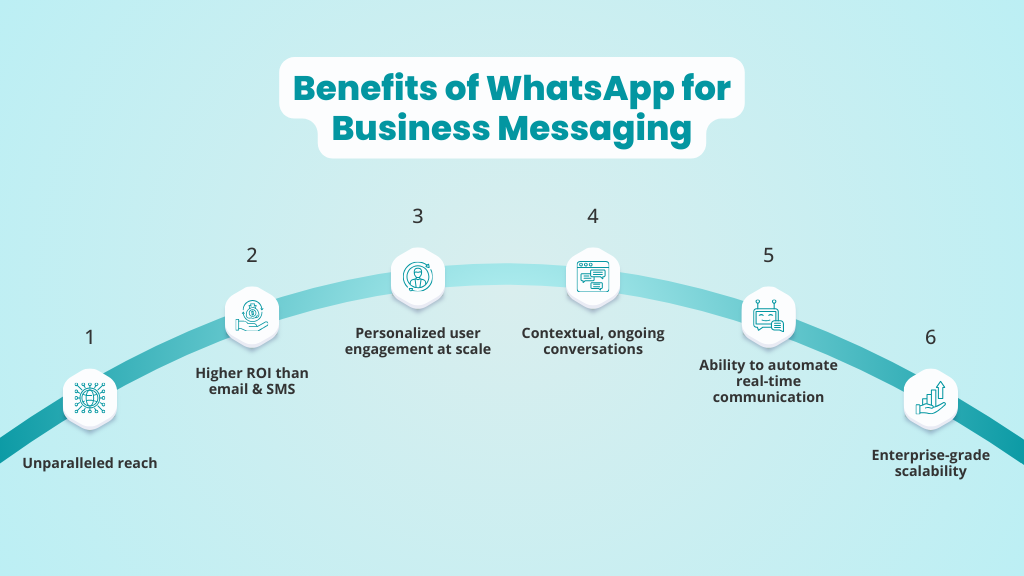
Below, we’ll look at the factors that make WhatsApp a compelling option for enterprises looking to expand their reach, engage and convert customers, and drive repeat business.
1. Unparalleled reach
With 3 billion monthly active users, WhatsApp is one of the most widely used communication platforms in the world. The best part is that this audience is already active. Your customers use WhatsApp daily, which means you can engage them on a channel they already pay attention to, without introducing new behavior or overcoming an adoption curve.
2. Higher ROI than email & SMS
WhatsApp messages typically achieve open rates of 98%, compared to roughly 20% for email. Unlike SMS, WhatsApp also supports two-way conversations, allowing customers to respond and continue the interaction. This combination of visibility and engagement drives stronger response rates and, ultimately, higher returns on messaging spend.
3. Personalized user engagement at scale
WhatsApp allows you to personalize customer communication, even when you’re doing it at scale. That means your messages can be tailored, based on customer behavior or context, even when you’re sending the same message to thousands of contacts.
4. Contextual, ongoing conversations
When you use WhatsApp to interact with your customers, you don’t have to start fresh each time you resume a conversation. You can send a message in the same thread and pick up where you left off. This makes the whole thing feel like an ongoing exchange instead of a reset every time a new message is sent.
5. Ability to automate real-time communication
WhatsApp lets you automate time-sensitive customer interactions, such as confirmations, reminders, status updates, and common queries, without increasing manual workload or operational overhead. It also satisfies the need for instant responses, which is usually why many customers abandon a conversation or transaction.
6. Enterprise-grade scalability
WhatsApp offers solutions that support high message volumes, workflow automation, and multiple teams operating from a single number, making it suitable for scaling customer messaging across large organizations.
WANotifier helps enterprises use WhatsApp to drive engagement, conversions, and repeat business at scale.
Use Cases of WhatsApp for Enterprise Businesses
Once WhatsApp becomes part of your communication strategy, the next step is to identify where it makes the most sense to use it.
Ideally, WhatsApp works best for customer interactions that benefit from quick responses and two-way communication. The use cases below are industry-agnostic and commonly adopted across enterprise teams:
- Appointment booking & scheduling: WhatsApp often functions as a coordination layer for appointments. Enterprises rely on it to confirm bookings, send reminders, and manage scheduling (or rescheduling) requirements in real time, using manual or automated messages.
- Order confirmations & delivery updates: WhatsApp is commonly used to share order confirmations, shipping notifications, and delivery status updates. Businesses use it to provide timely, automated updates while giving customers a simple way to respond to any changes, delays, or delivery-related questions.
- Payment reminders & renewals: Billing-related communication is frequently handled on WhatsApp, especially reminders and renewals tied to specific dates.
- Customer support & ticket updates: Support teams often use WhatsApp to acknowledge the receipt of inquiries or complaints, share progress updates, and notify customers when tickets are resolved.
- Lead follow-ups: When a prospect shows interest, WhatsApp is often the fastest way to continue the conversation. Sales teams use it to follow up on inquiries, answer questions, and qualify leads without relying on long email threads or back-and-forth calls.
- Feedback collection & surveys: After key interactions (or transactions), WhatsApp is used to request feedback or short surveys. Since the request arrives in a familiar chat environment, customers are more likely to respond rather than postpone or ignore it.
With a better understanding of how WhatsApp can be implemented in enterprise businesses, let’s now look at the type of WhatsApp solutions available to businesses in general.
The Types of WhatsApp Solutions
The way a business uses WhatsApp is very different from how an individual uses it. While the consumer app works well for personal conversations, it offers limited functionality for managing customer communication at scale.
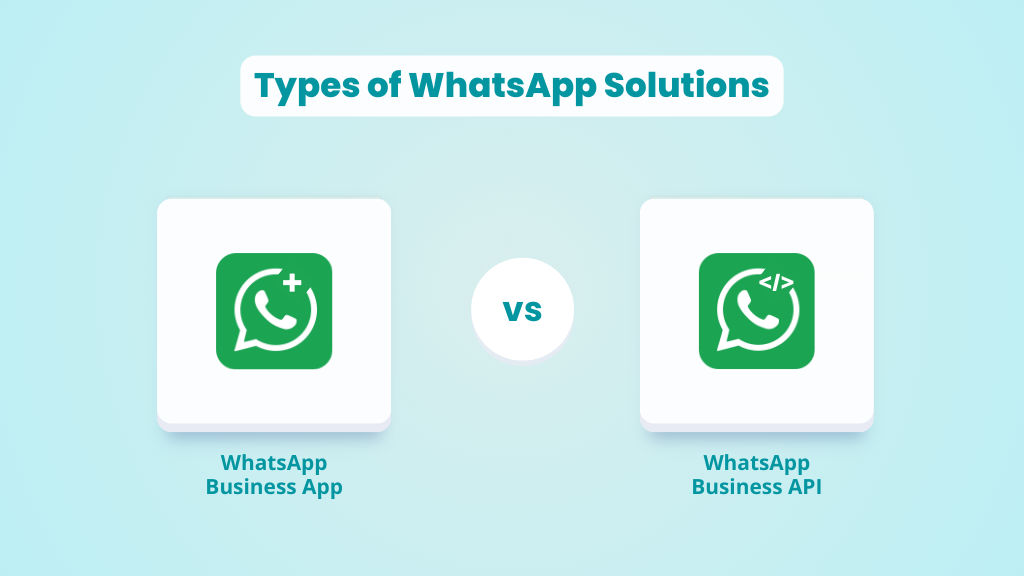
To address this, WhatsApp offers two dedicated solutions for business messaging, each designed for different levels of usage and complexity:
- WhatsApp Business App: This free app is designed for small businesses and individual operators who want to engage in one-to-one customer communication. It limits broadcasts to 256 contacts at a time, does not support advanced automation, chatbots, and multi-user access, lacks integrations with third-party tools, and offers minimal reporting features.
- WhatsApp Business API: The API is designed for mid-market and enterprise organizations that need to communicate with customers at scale. It supports high message volumes, enables multiple teams to operate from the same WhatsApp number, and allows for automation, chatbots, and event-driven messaging. The API can also be integrated with existing systems such as CRMs and support tools, and provides access to detailed analytics.
The table below outlines how the WhatsApp Business App and the WhatsApp API differ across key features:
| Feature | WhatsApp Business App | WhatsApp Business API |
| Messaging Limit | Broadcasts are limited to 256 contacts at a time | You can send unlimited broadcasts (based on your account’s quality rating) |
| Automation | Basic automation (simple greeting and away messages) | Supports advanced automation with workflows, rule-based triggers, and custom message sequences |
| Chatbots | Not supported | Fully supported (including rule-based and AI-driven chatbots) |
| Analytics | Limited | Provides detailed delivery, engagement, and performance analytics |
| Integrations | Not supported | Can be integrated with CRMs, help desks, marketing tools, and internal systems |
| Multi-agent support | Limited (Up to 5 devices with 1 phone + 4 linked devices) | Supports multiple users and teams working from the same WhatsApp number |
What Enterprises Can Do with WhatsApp (Using the API)
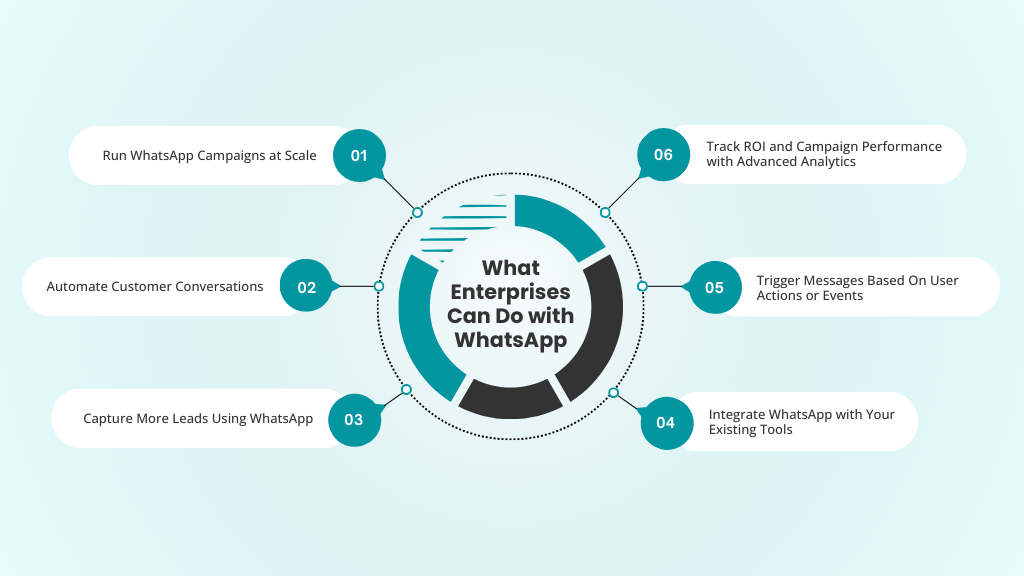
As you can see from the comparison above, the WhatsApp API is clearly the more scalable and feature-rich solution for enterprise use. In case you’re still unsure, here’s an in-depth look at the API’s features and how you can use it to capture leads, run campaigns, automate workflows, and do much more.
Let’s dive in:
1. Run WhatsApp Campaigns at Scale
With the WhatsApp Business API, enterprises can run large-scale WhatsApp campaigns, something that simply isn’t possible with the WhatsApp Business App.
At the core of this capability are message templates. Unlike the Business App, where every message must be typed manually, the API lets you create pre-approved templates for outbound communication. These templates ensure that your messages are consistent and compliant with WhatsApp’s business messaging policies.
You can also dynamically include customer-specific details such as names, order information, or account status to make messages more relevant. It’s also important to note that broadcasts sent via the API are not capped at 256 contacts. Messaging limits scale based on the phone number’s quality rating, allowing enterprises to reach thousands or even millions of customers as their credibility (and ratings) improve.
2. Automate Customer Conversations
Not every customer interaction needs a human on the other end. With the WhatsApp Business API, you can automate order status checks, appointment confirmations, delivery questions, and basic account inquiries, so customers get instant responses.
For example, you can use keyword-triggered auto-replies to answer any questions containing common phrases like “pricing,” “support,” or “help.” Or, use chatbots to handle FAQs and guide users through structured flows, such as updating preferences, selecting service options, or completing a simple request.
The API also supports drip sequences, which can be scheduled over time to onboard users, follow up on actions, or send reminders.
Capture leads, trigger replies, and nurture prospects on WhatsApp with WANotifier.
3. Capture More Leads Using WhatsApp
WhatsApp can also be used as a lead capture channel. One of the simplest ways to do this is to embed a WhatsApp widget on your website or landing pages, allowing visitors to start a conversation instantly without filling out forms or waiting for a response.
You can also generate high-intent leads using Click-to-WhatsApp ads, which let users message your business directly from your Facebook and Instagram ads. Another option is to integrate WhatsApp with your website forms and third-party apps, so any contact details submitted there are automatically captured and synced into your contact list.
Finally, you can also collect structured information using WhatsApp Flows. These in-chat forms allow users to share their details, such as preferences, requirements, or contact information, without leaving WhatsApp, making lead capture quick and surprisingly frictionless.
4. Integrate WhatsApp with Your Existing Tools
To get the most out of WhatsApp as a communication channel, you need to connect it to the tools you already use. With the API, you can integrate WhatsApp with your websites, forms, CRMs, support systems, and other third-party tools.
Once that’s done, you can synchronize contact details across systems and automatically update records when a customer’s information changes.
5. Trigger Messages Based On User Actions or Events
Once WhatsApp is connected to your existing tech stack, it can also be used to trigger transactional messages in response to specific user actions or events, such as a purchase being completed, a ticket being updated, or an appointment being confirmed.
6. Track ROI and Campaign Performance with Advanced Analytics
With the WhatsApp Business API, you also get access to advanced analytics that provide clear visibility into your campaigns. You can track delivery and open rates, measure engagement, and attribute conversions to specific ad campaigns.
At a more granular level, you can monitor the performance of individual message templates and see which templates resonate with customers and which ones fall flat.
Now that you have a good idea of what you can accomplish with the WhatsApp API, let’s address an important question: What does it cost to implement WhatsApp for an enterprise business?
Understanding the Cost of Implementing WhatsApp As A Channel
At a high level, the total cost of using WhatsApp as a channel for enterprise businesses comes down to two components:
- The cost of the software/tool you use to access the API, and
- The WhatsApp API charges for sending messages.
Let’s break these down briefly.
1. Charges for the Tool (API Access Platform)
WhatsApp itself only provides the API. It does not include a tool or a dashboard for sending campaigns, managing contacts, creating templates, building chatbots, or setting up automations.
To access these capabilities, you can either:
- Build your own tool from scratch
- Or, use a ready-made WhatsApp Business API platform to start sending messages instantly
If you choose the second option, you’ll incur a recurring subscription fee that varies by provider and is based on the features offered and the scale of your operations.
2. WhatsApp API Charges (Per-Message Pricing)
In addition to platform costs, you also need to account for charges for messages sent through the WhatsApp Business API.
WhatsApp uses a per-message pricing model, where businesses are charged per delivered message template based on the message type (marketing, utility, or authentication) and the recipient’s location.
If you want to learn more about WhatsApp API pricing (or how different message types are charged) and estimate the potential messaging costs for your business, refer to this in-depth WhatsApp API pricing guide, which also includes a cost calculator.
How to Get Started?
You’re already familiar with the two ways enterprises can get started with WhatsApp: a) building a custom solution and b) using a ready-made platform.
Let’s take a closer look at what each approach involves:
Option 1: Build Your Own WhatsApp API Solution
You can build a custom solution on top of the WhatsApp Business API. This involves creating your own tools for sending messages, managing contacts, handling templates, building automations, and routing conversations across teams.
While this approach offers maximum control, it also requires significant engineering effort and time. Additionally, ongoing maintenance becomes unavoidable, and you won’t be able to start sending messages immediately. For most enterprises, this route only makes sense if WhatsApp is being deeply embedded in a larger system and if they have the technical resources to divert in this direction.
Option 2: Use a Ready-Made Enterprise Platform
Most enterprises choose to work with a WhatsApp Business Solution Provider (BSP), a ready-made platform that already sits on top of the API. However, these platforms usually apply a 12% to 25% markup on WhatsApp messaging costs and require businesses to pre-purchase messaging credits. If you’re exchanging a high volume of messages, this can quickly inflate your overall costs.
This is where a solution like WANotifier comes into play.
WANotifier is a WhatsApp marketing and automation platform built specifically for businesses that want to use WhatsApp as their primary, high ROI, revenue channel. It provides free access to the official WhatsApp Business API with 0% markup on messaging rates, so you only pay what Meta actually charges.
You also get an easy-to-use interface, powerful automation and campaign features, support for your favorite tools, a shared team inbox, and everything you need to engage customers at every stage of their journey.
WANotifier also offers best-in-class customer support and a free 7-day trial, letting you test the platform and launch your first WhatsApp campaign in seconds, with no upfront cost.
No-code. Minimal setup. Launch your next WhatsApp marketing campaign in minutes!
Now that you have a good idea of how to get started with WhatsApp for enterprise businesses, let’s cover some best practices that’ll help you scale your messaging without hurting your customer experience.
Best Practices for Implementing WhatsApp for Enterprise Businesses
When you’re implementing WhatsApp at the enterprise level, you need to consider a few factors to ensure it remains effective for customer engagement at scale while staying compliant with WhatsApp’s business messaging policies. The following best practices can help with this:
- Obtain explicit opt-ins from contacts: Only message users who have clearly opted in to receive WhatsApp communication from your business. This is essential for compliance, but it also sets the right expectations from the start. Customers who opt in knowingly are far more likely to engage and respond to your messages.
- Personalize messages to make them more relevant: Use a WhatsApp CRM to organize contacts based on attributes, past interactions, or behavior, and design campaigns for specific segments. Even basic personalization, such as referencing a recent action or preference, can make messages feel intentional and significantly improve response rates.
- Use automation to reduce manual workload: Automate predictable interactions such as confirmations, reminders, and common queries so customers receive instant responses without requiring constant human intervention. You can also use chatbots to handle early-stage conversations or guide users through options, allowing your team to focus their time on higher-value interactions.
- Maintain a Healthy Messaging Frequency: Be deliberate about how often you message customers. Too many messages can quickly feel intrusive, while too few reduce impact.
- Integrate WhatsApp into existing workflows: Connect WhatsApp with your CRM, support tools, and other internal systems so conversations are informed by real-time customer data. This will help your teams respond faster, reduce context switching, and maintain consistent communication across touchpoints.
- Track performance and continuously optimize: Monitor delivery, engagement, and conversion metrics regularly. Use this data to refine message content, timing, and automation rules to boost engagement and drive higher conversions.
Wrapping Up
WhatsApp allows enterprises to communicate with customers in real time, at scale, without losing the personal and contextual nature of the interaction. When used strategically, it becomes a high-engagement channel that supports everything from lead generation and marketing to support and customer retention.
That said, using WhatsApp effectively at the enterprise level isn’t just about adding another channel to your communication stack. It’s about how you implement it. Real impact comes from choosing the right platform and cost model, so WhatsApp can be scaled sustainably and deliver measurable ROI over time.
WANotifier is built to do exactly that. It gives enterprises a straightforward, cost-efficient way to access the WhatsApp Business API, run high-performing campaigns, automate and scale customer conversations, track conversions and ROI, and integrate WhatsApp into existing workflows, without engineering complexity or hidden costs.
If WhatsApp is going to be part of your enterprise communication strategy, WANotifier helps ensure it’s implemented in a way that actually delivers results.
👉 Start your 7-day free trial today and see how WANotifier can help you unlock WhatsApp for enterprise use.
Elevate your WhatsApp marketing with WANotifier. Easy to set up. Built to scale. No hidden costs.
Frequently Asked Questions (FAQs)
How much does WhatsApp Business API cost?
The total cost of using the WhatsApp Business API depends on two components: the platform you use to access the API and WhatsApp’s per-message charges that are based on the type of message you’re sending (marketing, utility, or authentication) and the recipient’s location.
Is WhatsApp cheaper than SMS for enterprises?
Yes. While both channels use usage-based pricing, WhatsApp is often more cost-effective for enterprises because it allows free replies within an active customer service window and offers volume-based discounts for certain message types.
Do enterprises need in-house developers to use WhatsApp Business API?
No. If you use a plug-and-play platform like WANotifier to access the WhatsApp Business API, you get everything you need to capture, engage, and convert customers on WhatsApp, without spending months on development or maintaining custom infrastructure.
Are there limits on how many messages an enterprise can send?
Yes, but the limits are not fixed. With the WhatsApp Business API, messaging limits are governed by the quality rating of your phone number. New numbers typically start with a daily limit of 250 messages, which can be increased to 2,000 messages by completing your business verification. Over time, WhatsApp automatically increases this number to 10,000, 100,000, and eventually unlimited messages per day based on your number’s quality ratings.
How does WhatsApp manage message delivery at scale?
Meta offers two mechanisms for delivering WhatsApp messages at scale: the WhatsApp Cloud API and Marketing Messages (MM) API.
The Cloud API supports all types of outbound business messages, including marketing, utility, and authentication, and delivers them reliably without optimizing for individual recipient engagement.
The MM API, on the other hand, is designed specifically for large-scale marketing communication. It leverages the same optimization technology used in Meta’s advertising ecosystem to determine which messages to deliver to which customers, with the goal of maximizing engagement and response rates.
Can WhatsApp be integrated with CRM, ERP, or helpdesk systems?
Yes. One of the biggest advantages of the WhatsApp Business API is that it lets you integrate WhatsApp with 3rd-party systems, such as CRMs, ERPs, helpdesk platforms, and other internal tools.
Can enterprises control user access and permissions in WhatsApp?
Yes. Depending on the platform you use to access the WhatsApp Business API, you can control user access and permissions at a granular level. For example, with WANotifier’s shared team inbox, you can define user roles, control which teams or individuals can view or respond to conversations, assign chats manually or automatically via round-robin routing, and do much more.
Can multiple teams or departments use the same WhatsApp number?
Yes. With the WhatsApp Business API, multiple teams can operate from the same WhatsApp number within your organization.
Is WhatsApp suitable for global enterprises operating in multiple regions?
Yes. The WhatsApp Business API supports high-volume messaging across most countries and regions worldwide, with a few exceptions, such as Cuba, Iran, North Korea, Syria, and certain sanctioned regions in Ukraine (Crimea, Donetsk, and Luhansk). This makes it a practical option for global enterprises operating across multiple markets.
What kind of ROI can enterprises expect from WhatsApp?
ROI from WhatsApp varies by use case, industry, and execution, but enterprises typically see higher engagement and faster outcomes compared to traditional channels like email and SMS. This is largely driven by WhatsApp’s exceptionally high open and response rates, which translate into stronger conversions and quicker customer action.
In addition, WhatsApp’s real-time, two-way communication model delivers measurable operational and revenue benefits, including:
- Faster customer responses, reducing time spent on support and follow-ups
- Lower cost of engagement, especially when automated workflows replace manual work
- Improved customer satisfaction and retention, due to timely and personal interactions